
 Thanks to Graham Cluley (@gcluley) of Sophos and the Naked Security website for introducing me to Fiscal from the Queensland Police.
I love his little videos, the third in the series covers ATM fraud and skimming:
The first covered Identity theft where Doris Pennywhistle, receives a phone call supposedly from her bank, asking her to confirm her account details. Unaware the caller is an offender and of the risks involved in providing personal information over the phone, Mrs Pennywhistle soon realises when Fiscal steps in. This animation is primarily aimed at raising awareness amongst our senior population and how to avoid becoming a victim.
The second covers social networking safety (Sofie (aged 13) learns of the risks involved in online social networking. This animation is primarily aimed at children and teaching them about how to enjoy the internet in a safe way.)
 In a week where we have seen the local police forces joining Twitter these videos from Queensland show some of the way forward. I also found Thames Valley Police Channel but no UK Fiscal Ferrets.
The original article that made me look was http://nakedsecurity.sophos.com/2011/08/19/do-you-know-enough-about-atm-skimming/


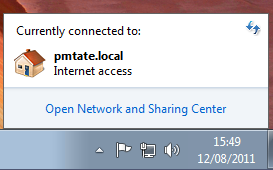
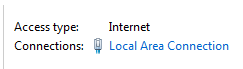
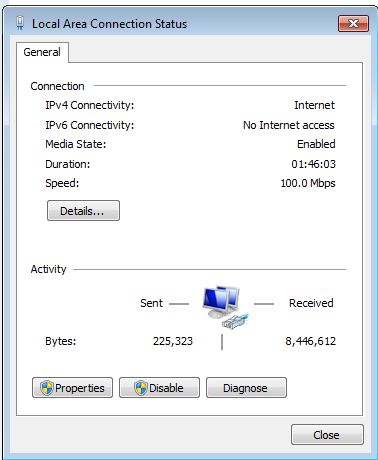
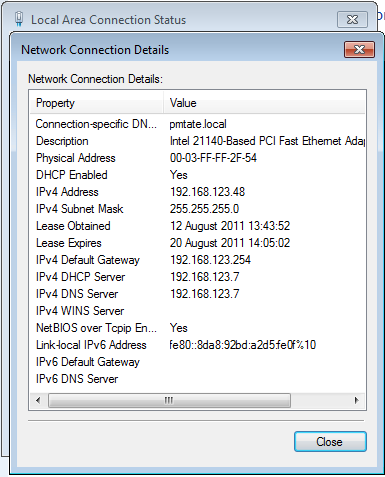
![clip_image001[8]](http://www.pmtate.co.uk/wp-content/uploads/Find-your-local-network-IP-address-XP_104AC/clip_image0018.png "clip_image001[8]")
![clip_image002[8]](http://www.pmtate.co.uk/wp-content/uploads/Find-your-local-network-IP-address-XP_104AC/clip_image0028.png "clip_image002[8]")
![clip_image003[8]](http://www.pmtate.co.uk/wp-content/uploads/Find-your-local-network-IP-address-XP_104AC/clip_image0038.png "clip_image003[8]")
![clip_image004[8]](http://www.pmtate.co.uk/wp-content/uploads/Find-your-local-network-IP-address-XP_104AC/clip_image0048.png "clip_image004[8]")
![clip_image005[8]](http://www.pmtate.co.uk/wp-content/uploads/Find-your-local-network-IP-address-XP_104AC/clip_image0058.png "clip_image005[8]")
![clip_image006[8]](http://www.pmtate.co.uk/wp-content/uploads/Find-your-local-network-IP-address-XP_104AC/clip_image0068.png "clip_image006[8]")
![clip_image007[8]](http://www.pmtate.co.uk/wp-content/uploads/Find-your-local-network-IP-address-XP_104AC/clip_image0078.png "clip_image007[8]")